2D Platformer Shooter
June 2025
Prototype
Play Project Cultivation
View Project
Unity Engine 6
Project Manager, Lead Programmer, Game Designer
4
A 2D platformer shooter set in a military facility where research into using the ability to control time was done. You must now do your best to pass the trials set in front of you, or find some way to escape this cycle of test. Project Cultivation focuses on fighting against the system and taking back control.

Introduction
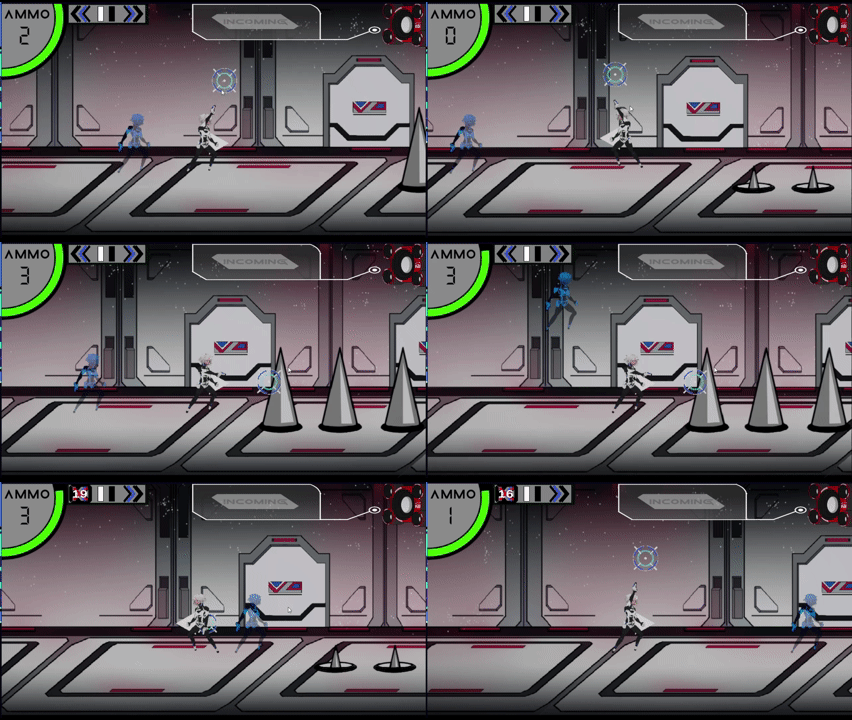
Project Cultivation was developed as a prototype for a game jam involving time. My team's idea was to create a shooter that involves controlling time and using that to solve puzzles. The major goal of our project was to create a prototype that included a shooting system that felt fun to use and showcased the time mechanic.
Built in Unity, the main features this game has are a time control mechanic that allows you to pause or rewind time, and a flexible shooting system allowing players to aim and shoot freely at interactable objects.
Time Stop System
In Project Cultivation, I implemented a time stop mechanic that allows players to freeze the world — halting physics, movement, and other dynamic systems — while keeping the player character free to act. To make this possible, I created a flexible interface-driven system using the ITimeStoppable interface and this TimeStopObject component.
Each object that should react to a time freeze simply implements ITimeStoppable and registers itself with the TimeStopManager. This makes the system scalable — any new enemy, projectile, or physics object can easily join the time system without modifying core logic.
The TimeStopObject script handles physics objects by saving their velocity and stopping their motion during a time stop, then restoring it when time resumes:
using UnityEngine;

public class TimeStopObject : MonoBehaviour, ITimeStoppable
{
    public Rigidbody rb;
    private Vector3 savedVelocity;
    [SerializeField] private bool isStopped = false;

    void Start()
    {
        rb = GetComponent<Rigidbody>();
    }

    private void OnEnable()
    {
        TimeStopManager.Instance?.Register(this);
    }

    private void OnDisable()
    {
        TimeStopManager.Instance?.Unregister(this);
    }

    public void OnTimeResume()
    {
        if (!isStopped) return;

        rb.isKinematic = false;
        rb.linearVelocity = savedVelocity;
        isStopped = false;
    }

    public void OnTimeStop()
    {
        if (isStopped) return;

        savedVelocity = rb.linearVelocity;
        rb.linearVelocity = Vector3.zero;
        rb.isKinematic = true;
        isStopped = true;
    }
}
Rewind Mechanic & Rewind Ghost
The Rewind Mechanic in Project Cultivation was designed to complement the Time Stop system by giving players the ability to reverse their recent actions — restoring their position to a point in the past while maintaining gameplay flow.
This mechanic records the player's position over time and lets them "snap back" to a previous moment using the Rewind() function.
When activated, the system finds the closest recorded position to the target rewind time, updates the player's position, and clears old history to begin tracking anew. This ensures precise, frame-accurate rewinds without creating desynchronization or unpredictable movement.
void Rewind()
{
    float targetTime = Time.time - rewindTime;
    PositionRecord rewindRecord = positionHistory[0];

    foreach (var record in positionHistory)
    {
        if (Mathf.Abs(record.time - targetTime) < Mathf.Abs(rewindRecord.time - targetTime))
        {
            rewindRecord = record;
        }
    }

    transform.position = rewindRecord.position;
    rb.linearVelocity = Vector3.zero;

    // Clear old trail & start fresh
    positionHistory.Clear();
    positionHistory.Add(new PositionRecord { position = transform.position, time = Time.time });
}
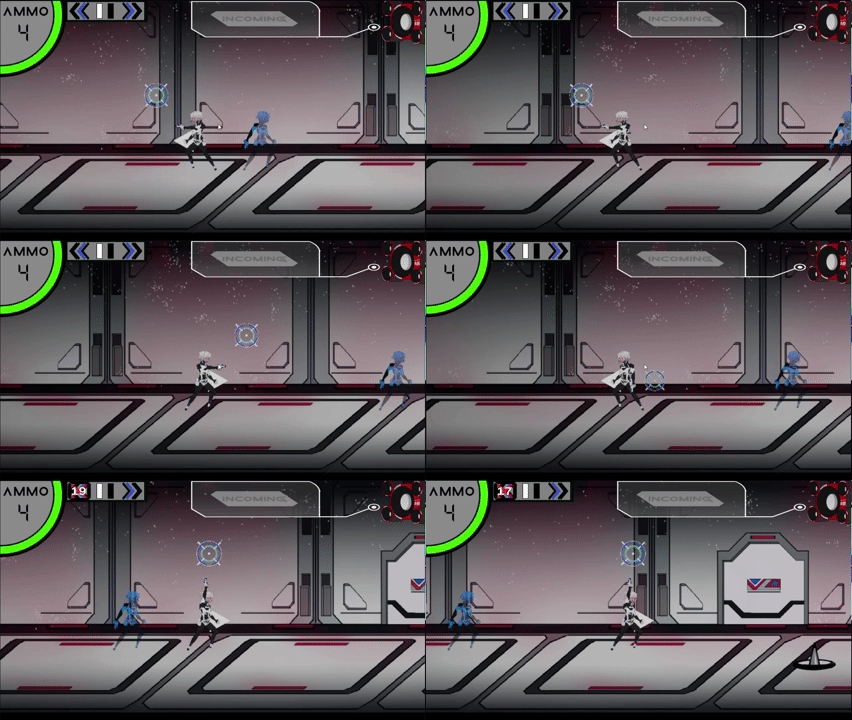
To help players visualize their past path, I implemented the Rewind Ghost — a transparent echo of the player's previous self. The ghost updates its position to match the historical record of where the player was at the rewind target time. This adds both visual clarity and an immersive time-travel aesthetic to the mechanic.
void UpdateRewindGhost()
{
    if (positionHistory.Count == 0 || rewindGhost == null) return;

    float targetTime = Time.time - rewindTime;
    PositionRecord closest = positionHistory[0];

    foreach (var record in positionHistory)
    {
        if (Mathf.Abs(record.time - targetTime) < Mathf.Abs(closest.time - targetTime))
        {
            closest = record;
        }
    }

    rewindGhost.position = closest.position;
}

Slow Time Mechanic
In Project Cultivation, the Fast Forward mechanic works as a global time manipulator that temporarily slows the entire game world while maintaining smooth control responsiveness. This creates the illusion that the player is moving faster than everything else — enemies, projectiles, and physics all slow down, while the player experiences precise, high-speed mobility.
The WorldSlowdownManager handles all timing adjustments using Unity's Time.timeScale system. When activated, it multiplies time by a slowFactor, effectively reducing how quickly everything else updates. This slowdown persists for a few seconds (slowdownLength) before time returns to normal. To prevent abuse, a cooldown timer enforces a delay before the ability can be used again.
using UnityEngine;

public class WorldSlowdownManager : MonoBehaviour
{
    public static WorldSlowdownManager Instance;

    public float slowFactor = 0.2f;
    public float slowdownLength = 3f;
    public float cooldown = 5f;

    private float slowEndTime;
    public float lastSlowTime = Mathf.NegativeInfinity;
    private bool isSlowing = false;

    public float CooldownRemaining
    {
        get
        {
            // Only start tracking cooldown *after* slow ends
            if (isSlowing) return cooldown;

            float cooldownEnd = lastSlowTime + cooldown;
            float remaining = cooldownEnd - Time.unscaledTime;
            return Mathf.Max(0f, remaining);
        }
    }
    void Awake()
    {
        if (Instance != null) Destroy(gameObject);
        Instance = this;
    }

    void Update()
    {
        if (isSlowing && Time.unscaledTime >= slowEndTime)
        {
            ResetTime();
        }

        UIController.Instance.restrictFastForward.SetActive(isSlowing || CooldownRemaining > 0);


    }


    public void TriggerSlowdown()
    {
        if (isSlowing || Time.unscaledTime < lastSlowTime + cooldown) return;

        Time.timeScale = slowFactor;
        Time.fixedDeltaTime = 0.02f * Time.timeScale;

        slowEndTime = Time.unscaledTime + slowdownLength;
        isSlowing = true;
    }


    private void ResetTime()
    {
        Time.timeScale = 1f;
        Time.fixedDeltaTime = 0.02f;
        isSlowing = false;
        lastSlowTime = Time.unscaledTime;
    }

    public bool IsSlowing => isSlowing;
}
