3D Puzzle Platformer
April 2025
Prototype
Play Inverse
View Project
Unity Engine 6
Project Manager, Lead Programmer, Game Designer
5
A 3D platformer focused on solving puzzles split between two worlds. Your goal is to solve the puzzles and reach the end in both worlds.
Introduction
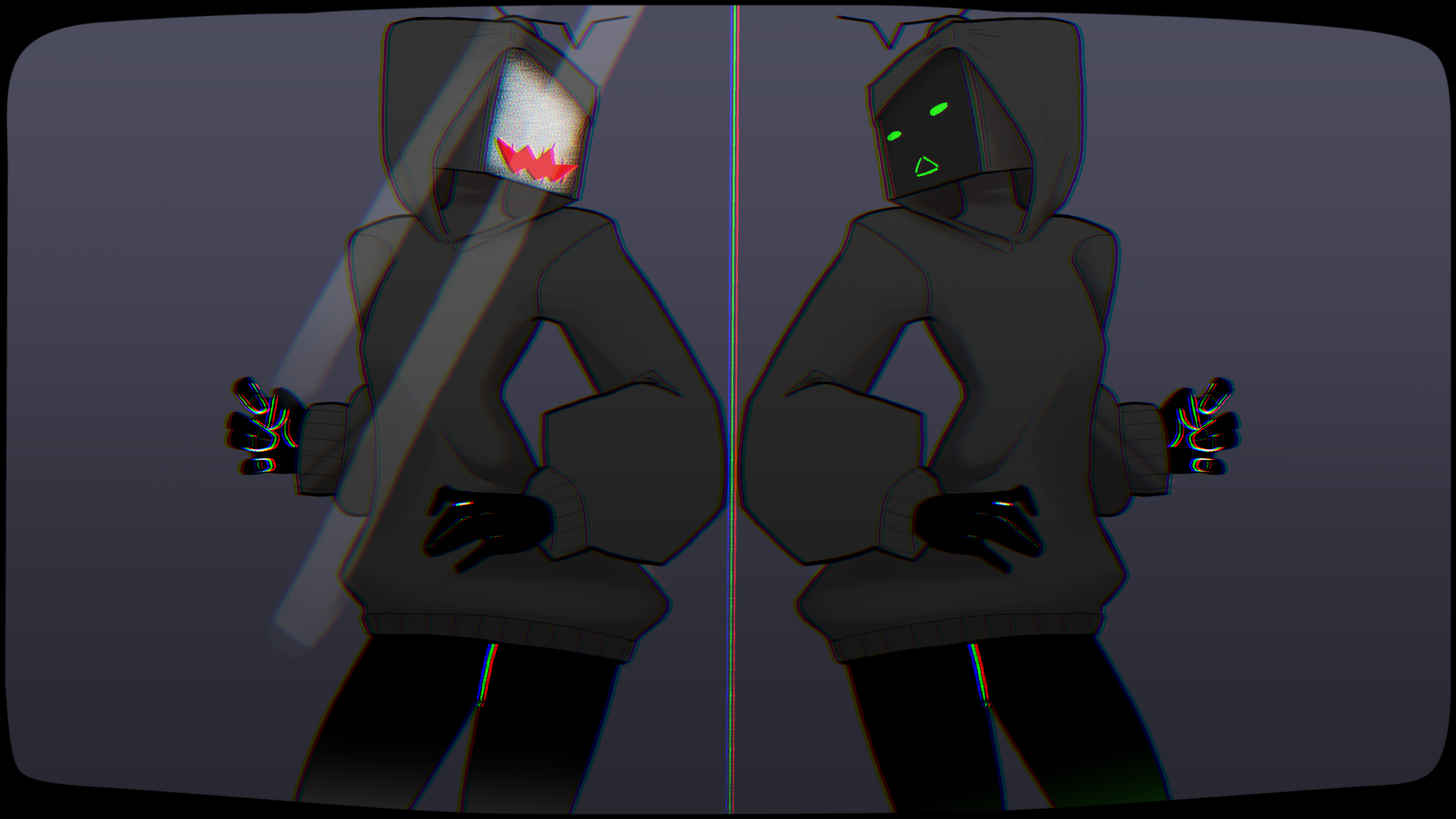
Inverse was developed as a prototype for a game jam themed around reflections. My team's concept was to use literal reflections as a core mechanic while also exploring the idea of a reflection of oneself as part of the game's theme.
Built in Unity, the game's main features are a character swapping system and a light bending mechanism.
Character Swap System
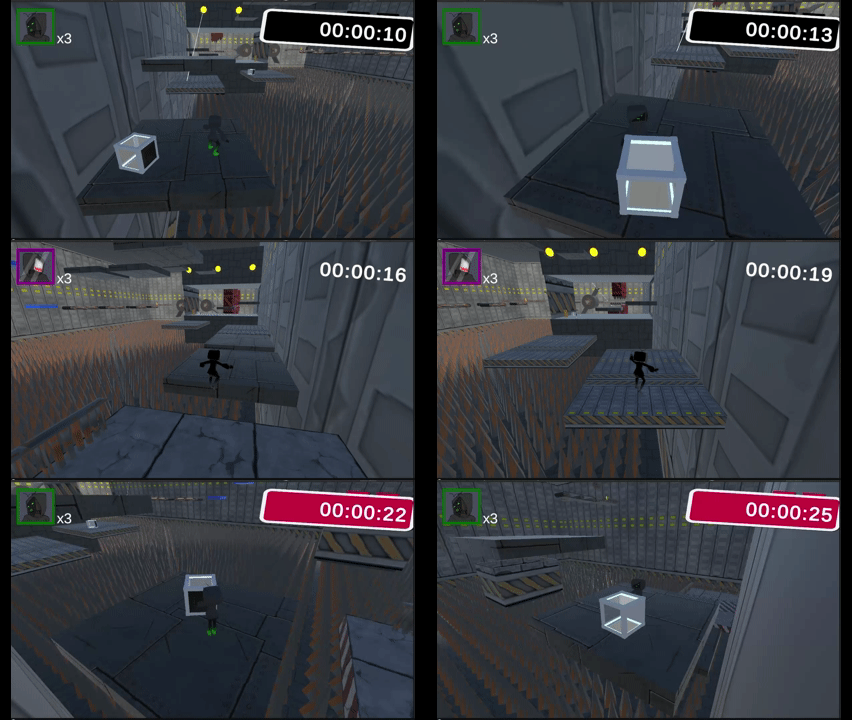
In Inverse, the player controls two fully independent characters and can switch between them at any time. Each character has its own movement controller, animations, stats, and physics body. The swap mechanic is designed not just for cosmetic variety, but to encourage puzzle-solving and traversal using each character's unique abilities.
When the player swaps:
- The newly selected character becomes the only one receiving active movement input.
- Animations update automatically based on which character is currently active.
- Physics are toggled so the inactive character freezes in place using
isKinematic. - The camera dynamically refocuses using Cinemachine, smoothly shifting its Follow and LookAt targets.
- The inactive character remains present in the world, enabling cooperative platforming puzzles, positional switching, and multi-step traversal where character placement matters.
using UnityEngine;

public class PlayerManager : MonoBehaviour
{
    private GameObject[] allCharacters;
    public GameObject characterA;
    public GameObject characterB;
    public GameObject activeCharacter;
    private CharacterController3D characterController;
    public PlayerControls controls;
    public IGUIManager guiManager;
    public bool isCharacterA;
    public Camera pCam;

    private void Awake()
    {
        controls = new PlayerControls();
        pCam = GetComponentInChildren<Camera>();

        if (guiManager == null)
        {
            guiManager = GetComponentInParent<GameManager>().GetComponentInChildren<IGUIManager>();
        }
    }

    private void Update()
    {
        if (guiManager == null)
        {
            guiManager = GetComponentInParent<GameManager>().GetComponentInChildren<IGUIManager>();
        }
    }

    void OnEnable() => controls.Enable();
    void OnDisable() => controls.Disable();

    void SwapCharacter()
    {
        Debug.Log(characterController.Name + " " + characterController.ID.ToString() + " Character Swap Pressed");
        activeCharacter = (activeCharacter == characterA) ? characterB : characterA;
        SetActiveCharacter(activeCharacter);
        guiManager.SwitchCharacterImage();
    }

    void SetActiveCharacter(GameObject character)
    {
        characterA.GetComponent<CharacterController3D>().enabled = (character == characterA);
        characterB.GetComponent<CharacterController3D>().enabled = (character == characterB);
        characterA.GetComponentInChildren<Animator>().enabled = (character == characterA);
        characterB.GetComponentInChildren<Animator>().enabled = (character == characterB);
        characterA.GetComponent<Rigidbody>().isKinematic = (character != characterA);
        characterB.GetComponent<Rigidbody>().isKinematic = (character != characterB);
        pCam.GetComponent<CinemachineFreeLook>().Follow = activeCharacter.transform;
        pCam.GetComponent<CinemachineFreeLook>().LookAt = activeCharacter.transform;
    }

    public void SetupCharacters(CharacterController3D[] characterList)
    {
        allCharacters = characterList.Select(cc => cc.gameObject).ToArray();
        characterA = allCharacters.FirstOrDefault(go => go.GetComponent<CharacterController3D>().ID == 1);
        characterB = allCharacters.FirstOrDefault(go => go.GetComponent<CharacterController3D>().ID == 2);

        if (characterA != null && characterB != null)
        {
            activeCharacter = characterA;
            SetActiveCharacter(activeCharacter);
            characterController = activeCharacter.GetComponent<CharacterController3D>();

            controls.Player.SwapCharacter.performed += ctx => SwapCharacter();
            pCam.GetComponent<CinemachineFreeLook>().Follow = activeCharacter.transform;
            pCam.GetComponent<CinemachineFreeLook>().LookAt = activeCharacter.transform;
        }
        else
        {
            Debug.LogError("Characters with specified IDs not found.");
        }
    }
}
Light Refraction System
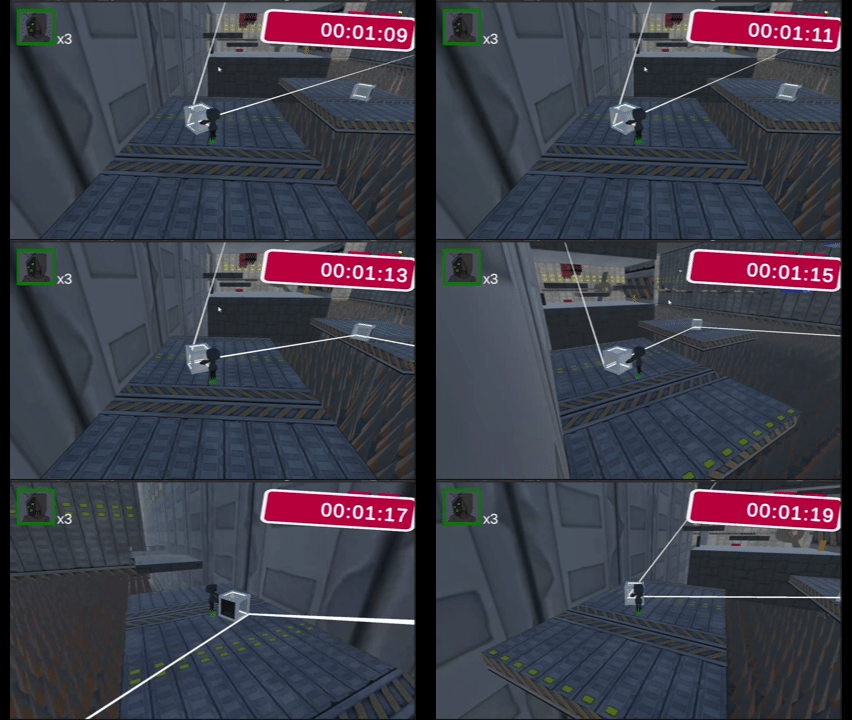
In Inverse, light is used as a core puzzle mechanic. The player interacts with beams that bounce off reflective surfaces and activate switches throughout the environment. The light is dynamically rendered using a LineRenderer, allowing it to visually update in real time as it moves through the world.
The beam begins at a defined origin point and travels forward until it hits an object. If the object is reflective, the beam bounces and continues in a new direction, enabling mirror-based puzzles and multi-step routing challenges. If the beam strikes a switch, it powers it on — allowing light to unlock doors or trigger mechanisms. Once the beam stops touching a switch, it automatically deactivates, preventing players from powering multiple switches simultaneously.
using UnityEngine;

public class LightEmitter : MonoBehaviour
{
    public LineRenderer lineRenderer;
    public int maxBounces = 10;
    public Transform lightOrigin;
    public Material lightMaterial;
    public bool useCustomMaterial = true;

    private SwitchControl currentSwitch = null;

    void Start()
    {
        if (lineRenderer == null)
        {
            lineRenderer = gameObject.AddComponent<LineRenderer>();
        }

        lineRenderer.material = (useCustomMaterial && lightMaterial != null)
            ? lightMaterial
            : new Material(Shader.Find("Sprites/Default"));

        lineRenderer.positionCount = 0;
        lineRenderer.startWidth = 0.1f;
        lineRenderer.endWidth = 0.1f;
    }

    void Update()
    {
        CastLight(lightOrigin.position, -transform.up, maxBounces);
    }

    void CastLight(Vector3 position, Vector3 direction, int remainingBounces)
    {
        List<Vector3> lightPoints = new List<Vector3>();
        lightPoints.Add(position);

        SwitchControl hitSwitch = null;

        while (remainingBounces > 0)
        {
            RaycastHit hit;
            if (Physics.Raycast(position, direction, out hit, Mathf.Infinity))
            {
                lightPoints.Add(hit.point);

                if (hit.collider.CompareTag("Reflective"))
                {
                    ReflectiveSurface surface = hit.collider.GetComponent<ReflectiveSurface>();
                    if (surface != null)
                    {
                        direction = surface.GetReflectionDirection();
                        position = hit.point;
                        remainingBounces--;
                        continue;
                    }
                }
                else if (hit.collider.CompareTag("Switch"))
                {
                    SwitchControl switchControl = hit.collider.GetComponent<SwitchControl>();
                    if (switchControl != null)
                    {
                        hitSwitch = switchControl;
                        switchControl.Activate();
                    }
                }

                break;
            }
            else
            {
                lightPoints.Add(position + direction * 1000f);
                break;
            }
        }

        if (currentSwitch != hitSwitch)
        {
            currentSwitch?.Deactivate();
            currentSwitch = hitSwitch;
        }

        lineRenderer.positionCount = lightPoints.Count;
        lineRenderer.SetPositions(lightPoints.ToArray());
    }
}